Explore with IMAS-Python
In this part of the training, we will learn how to use Python to explore data saved in IDSs.
Explore which IDS structures are available
Most codes will touch multiple IDSs inside a single IMAS data entry. For example
a heating code using a magnetic equilibrium from the equilibrium IDS with a
heating profile from the core_sources IDS. To find out how to write your
code, there are two main strategies: read the
IMAS Data Dictionary documentation
or explore the data interactively. We will focus on the latter method here.
Exercise 1
Find out the names of the available IDSs.
Hint
The module imas.ids_names contains information on the available IDSs.
In IMAS-Python, you can use IDSFactory to figure
out which IDSs are avaible.
import imas

# IMAS-Python has multiple DD versions inside, which makes this exercise harder.
# We provide possible solutions here

# Option 1: Print the IDSs in the default-selected DD version
factory = imas.IDSFactory()
print("IDSs available in DD version", factory.version)
print(factory.ids_names())

# Alternative:
for ids_name in factory:
    print(ids_name, end=", ")
print()

# Option 2: Print the IDSs in a specific DD version
factory = imas.IDSFactory("3.39.0")
print("IDSs available in DD version", factory.version)
print(list(factory))
Explore the structure and contents of an IDS
IMAS-Python has several features and utilities for exploring an IDS. These are best used in an interactive Python console, such as the default python console or the IPython console.
Tab completion
As with most Python objects, you can use Tab completion on IMAS-Python objects.
Note
In the python console, you need to press Tab twice to show suggestions.
IDSFactoryhas tab completion for IDS names:>>> factory = imas.IDSFactory() >>> factory.core_ factory.core_instant_changes( factory.core_sources( factory.core_profiles( factory.core_transport(IDSToplevelandIDSStructurehave tab completion for child nodes: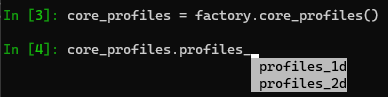
Interactive help
Use the built-in help() function to get more information on IMAS-Python
functions, objects, etc.
>>> import imas
>>> help(imas.DBEntry)
Help on class DBEntry in module imas.db_entry:

class DBEntry(builtins.object)
[...]
Inspecting IMAS-Python objects
Tab completion is nice when you already know more or less what attribute you are
looking for. For a more comprehensive overview of any IMAS-Python node, you can use
imas.util.inspect() to show:
The path to the node (relative to the IDS it is contained in)
The Data Dictionary version
The documentation metadata from the Data Dictionary
The value of the node (when applicable)
Attributes of the node
An overview of child nodes (when applicable)
Hint
The output of imas.util.inspect() is colored when your terminal supports
it. You may use the environment variable NO_COLOR to disable colored output or
FORCE_COLOR to force colored output. See
https://rich.readthedocs.io/en/stable/console.html#environment-variables.
The exact colors your terminal shows are configurable and therefore may deviate from the colors in below screenshots.
Examples
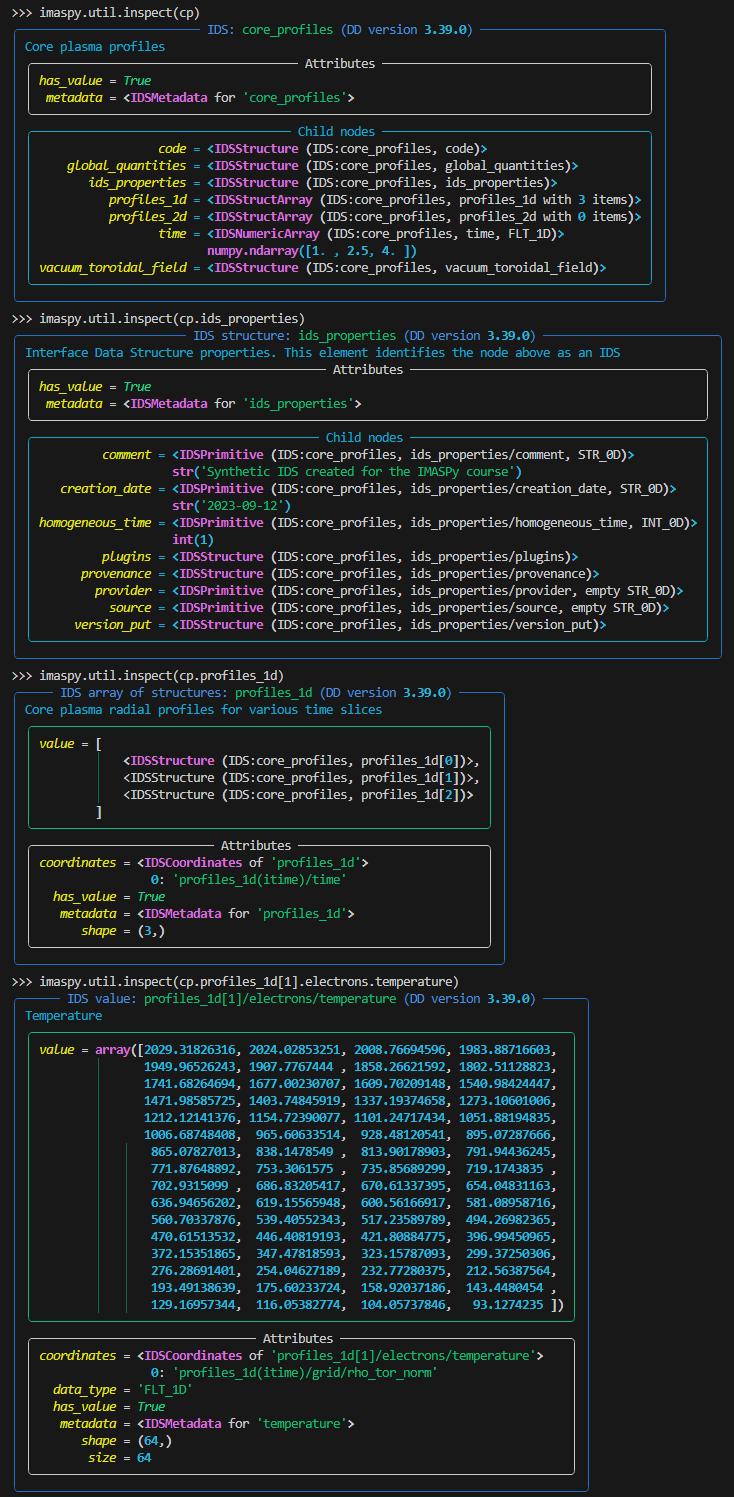
Printing an IDS tree
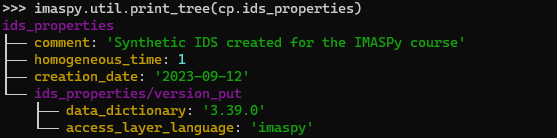
Another useful utility function in IMAS-Python is imas.util.print_tree(). This
will print a complete tree structure of all non-empty quantities in the provided node.
As an argument you can give a complete IDS, or any structure in the IDS such as
ids_properties:
Caution
Depending on the size of the IDS (structure) you print, this may generate a lot of
output. For interactive exploration of large IDSs we recommend to use
imas.util.inspect() (optionally with the parameter hide_empty_nodes
set to True) and only use imas.util.print_tree() for smaller
sub-structures.
Find paths in an IDS
In IMAS-Python you can also search for paths inside an IDS:
imas.util.find_paths(). This can be useful when you know what quantity you
are looking for, but aren’t sure exactly in which (sub)structure of the IDS it is
located.
imas.util.find_paths() accepts any Python regular expression (see
re) as input. This allows for anything from basic to advanced
searches.
Examples
import imas.util

factory = imas.IDSFactory()
core_profiles = factory.core_profiles()

print("Paths containing `rho`:")
print(imas.util.find_paths(core_profiles, "rho"))
print()

print("Paths containing `rho`, not followed by `error`:")
print(imas.util.find_paths(core_profiles, "rho(?!.*error)"))
print()

print("All paths ending with `time`:")
print(imas.util.find_paths(core_profiles, "time$"))
print()
Exercise 2
Load some IDSs and interactively explore their contents. You can use any of the below suggestions (some require access to the Public ITER database), or use any you have around.
Suggested data entries:
Training data entry, IDSs
core_profilesorequilibrium.ITER machine description database, IDS
pf_active:backend = HDF5_BACKEND db_name, pulse, run, user = "ITER_MD", 111001, 103, "public"ITER machine description database, IDS
ec_launchers:backend = HDF5_BACKEND db_name, pulse, run, user = "ITER_MD", 120000, 204, "public"
import imas.util
import imas.training

# Open input data entry
entry = imas.training.get_training_db_entry()

# Get the core_profiles IDS
cp = entry.get("core_profiles")

# Inspect the IDS
imas.util.inspect(cp, hide_empty_nodes=True)

entry.close()
import imas.util

# Open input data entry
entry = imas.DBEntry(
    imas.ids_defs.HDF5_BACKEND, "ITER_MD", 111001, 103, "public", data_version="3"
)
entry.open()

# Get the pf_active IDS
pf = entry.get("pf_active")

# Inspect the IDS
imas.util.inspect(pf, hide_empty_nodes=True)

entry.close()
import imas.util

# Open input data entry
entry = imas.DBEntry(
    imas.ids_defs.HDF5_BACKEND, "ITER_MD", 120000, 204, "public", data_version="3"
)
entry.open()

# Get the ec_launchers IDS
pf = entry.get("ec_launchers")

# Inspect the IDS
imas.util.inspect(pf, hide_empty_nodes=True)

entry.close()